%20--%3e%3cdefs%3e%3cstyle%3e%20.st0%20{%20fill:%20%23061b40;%20}%20.st1%20{%20fill:%20%23306af1;%20}%20.st2%20{%20fill:%20%235ce5cf;%20}%20%3c/style%3e%3c/defs%3e%3cg%3e%3cpath%20class='st0'%20d='M55,10.5h9v3h-9v9h12V7.5h-12v3ZM64,19.5h-6v-3h6v3Z'/%3e%3cpolygon%20class='st0'%20points='69%2016.5%2078%2016.5%2078%2019.5%2069%2019.5%2069%2022.5%2081%2022.5%2081%2013.5%2072%2013.5%2072%2010.5%2081%2010.5%2081%207.5%2069%207.5%2069%2016.5'/%3e%3cpolygon%20class='st0'%20points='95%2010.5%2095%207.5%2083%207.5%2083%2022.5%2095%2022.5%2095%2019.5%2086%2019.5%2086%2016.5%2095%2016.5%2095%2013.5%2086%2013.5%2086%2010.5%2095%2010.5'/%3e%3cpath%20class='st0'%20d='M40,1.5v21h11.6l1.4-1.4v-7.6h0c0,0-1.4-1.5-1.4-1.5l1.4-1.4V2.9l-1.4-1.4h-11.6ZM50,19.5h-7v-6h7v6ZM50,10.5h-7v-6h7v6Z'/%3e%3c/g%3e%3cpath%20class='st1'%20d='M23.1,24L14.7,4.8l-4.9,11.2h3.8l-1.8,4H3.3L12.1,0H2C.9,0,0,.9,0,2v20c0,1.1.9,2,2,2h21.1Z'/%3e%3cpath%20class='st2'%20d='M34,0h-16.8l10.6,24h6.2c1.1,0,2-.9,2-2V2C36,.9,35.1,0,34,0ZM32.5,20h-4V4h4v16Z'/%3e%3c/svg%3e)
 Join Now
Claude Praetorian MCP
An MCP server for Claude Code that achieves over 90% context compression through structured incremental snapshots, significantly saving token usage.
rating : 2.5 points
downloads : 10.7K
What is Claude Praetorian MCP?
Claude Praetorian MCP is a Model Context Protocol server specifically designed for Claude Code to intelligently compress and manage context information. It automatically compresses lengthy web research, task outputs, and conversation content into concise structured snapshots, significantly reducing token consumption and enabling AI assistants to process large amounts of information more efficiently.How to use Claude Praetorian MCP?
After installation, you can directly use two main commands in Claude Code: praetorian_compact for compressing context and praetorian_restore for restoring compressed content. The system will automatically store the compressed content in the .claude/praetorian folder of the project directory.Applicable Scenarios
Suitable for users who need to process large amounts of research materials, engage in long - term project development, or conduct multi - round conversation analysis. Particularly useful for developers, researchers, content creators, etc., who need to frequently access and organize large amounts of information.Main Features
Intelligent Context Compression
Compress lengthy content into structured snapshots using the TOON format, saving over 90% of token usage
Automatic Content Merging
Intelligently identify similar content (>70% similarity) and automatically merge to avoid duplicate storage
Fast Content Retrieval
Quickly find compressed content through keyword search, and support empty queries to view recent records
Zero - Configuration Operation
No complex configuration is required. It can be used after installation, and all data is stored in the local project directory
Support for Multiple Content Types
Support compression of multiple content types such as web research, task outputs, conversation records, and decision - making processes
Advantages
Significantly save token usage costs, usually saving over 90%
Improve the efficiency of AI assistants in processing long contexts
Structured storage facilitates subsequent retrieval and reuse
Local storage ensures data privacy and security
Intelligent merging avoids information duplication
Limitations
Requires Claude Code environment support
The compression process will lose some details of the original format
New users need to adapt to a new workflow
Only supports compression of text content
How to Use
Install the Server
Globally install the Claude Praetorian MCP server via npm
%20--%3e%3cdefs%3e%3cstyle%3e%20.st0%20{%20fill:%20%230080ff;%20}%20%3c/style%3e%3c/defs%3e%3cpath%20class='st0'%20d='M16.2,11.1c.4.5.4,1.2,0,1.8l-4.7,7.1h-3.8l5.3-8L7.6,4h3.8l4.7,7.1Z'/%3e%3c/svg%3e)
Configure Claude Code
Add MCP server configuration in Claude Code
Start Using the Compression Function
Use the praetorian_compact command to compress content in the Claude Code conversation
Retrieve Compressed Content
Use the praetorian_restore command to find and restore previously compressed content
Usage Examples
Web Research Organization
After researching multiple web materials, compress and save important findings to avoid occupying a large amount of context space
Project Decision - Making Records
Record important architectural decisions and discussion points during project development
Task Output Archiving
Compress and save complex task outputs (such as code analysis and test results)
Frequently Asked Questions
Will compression cause loss of important information?
Where is the data stored? Is it secure?
What content types are supported?
How to view compressed content?
What is the general compression ratio?
Related Resources
GitHub Repository
Project source code and latest updates
Model Context Protocol Official Website
Official documentation and specifications of the MCP protocol
Claude Code Documentation
Claude Code usage guide and API documentation
TOON Format Introduction
Detailed introduction and specifications of the TOON format
ACE Framework Introduction Video
Dexter Horthy's speech on advanced context engineering


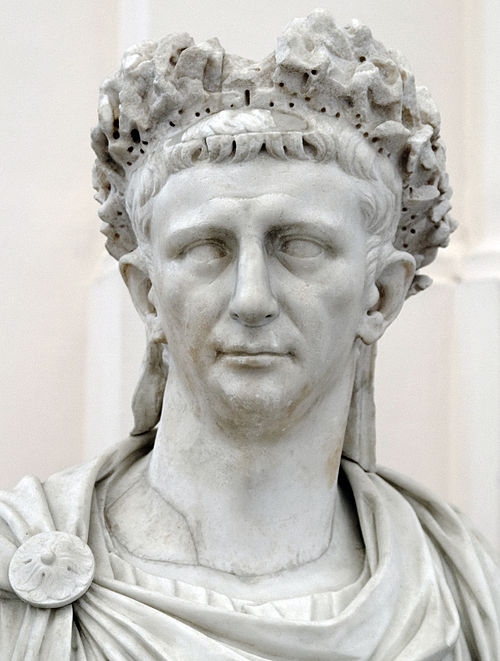 Tiberius Claudius Caesar Augustus Germanicus - Declared emperor by his Praetorian Guard


Notion Api MCP
Certified
A Python-based MCP Server that provides advanced to-do list management and content organization functions through the Notion API, enabling seamless integration between AI models and Notion.
Python
31.3K
4.5 points

Markdownify MCP
Markdownify is a multi-functional file conversion service that supports converting multiple formats such as PDFs, images, audio, and web page content into Markdown format.
TypeScript
48.1K
5 points

Gitlab MCP Server
Certified
The GitLab MCP server is a project based on the Model Context Protocol that provides a comprehensive toolset for interacting with GitLab accounts, including code review, merge request management, CI/CD configuration, and other functions.
TypeScript
34.9K
4.3 points

Duckduckgo MCP Server
Certified
The DuckDuckGo Search MCP Server provides web search and content scraping services for LLMs such as Claude.
Python
102.2K
4.3 points

Figma Context MCP
Framelink Figma MCP Server is a server that provides access to Figma design data for AI programming tools (such as Cursor). By simplifying the Figma API response, it helps AI more accurately achieve one - click conversion from design to code.
TypeScript
85.8K
4.5 points

Unity
Certified
UnityMCP is a Unity editor plugin that implements the Model Context Protocol (MCP), providing seamless integration between Unity and AI assistants, including real - time state monitoring, remote command execution, and log functions.
C#
45.8K
5 points

Minimax MCP Server
The MiniMax Model Context Protocol (MCP) is an official server that supports interaction with powerful text-to-speech, video/image generation APIs, and is suitable for various client tools such as Claude Desktop and Cursor.
Python
73.0K
4.8 points

Gmail MCP Server
A Gmail automatic authentication MCP server designed for Claude Desktop, supporting Gmail management through natural language interaction, including complete functions such as sending emails, label management, and batch operations.
TypeScript
30.0K
4.5 points