🚀 IDA MCP Server Usage Guide
The IDA MCP Server supports parallel analysis of multiple files and multiple sessions. Remember, after connecting via MCP, you'll get 77 tools!
✨ Features
- Support for parallel analysis of multiple files and multiple sessions.
- Provide a total of 77 tools after MCP connection.
- Cross - platform support for Windows, macOS, and Linux.
📦 Installation
Supported Platforms
- ✅ Windows (10/11)
- ✅ macOS (12+)
- ✅ Linux (Ubuntu 20.04+, Debian 11+)
1. Environment Requirements
| Component |
Windows |
macOS |
Linux |
| Python |
3.11+ |
3.11+ |
3.11+ |
| IDA Pro |
9.2+ |
9.2+ |
9.2+ |
| uv |
pip install uv or pipx install uv |
curl -LsSf https://astral.sh/uv/install.sh | sh or brew install uv |
curl -LsSf https://astral.sh/uv/install.sh | sh |
2. Installation Steps
Windows
pip install uv
cd ida-pro-mcp
uv sync
macOS
curl -LsSf https://astral.sh/uv/install.sh | sh
brew install uv
cd ida-pro-mcp
uv sync
Linux
curl -LsSf https://astral.sh/uv/install.sh | sh
cd ida-pro-mcp
uv sync
3. Configuration File (Recommended)
Edit the config.toml in the root directory. Relative paths are resolved relative to this file:
port = 8746
base_session_port = 10000
analyze_dir = "analyze"
ida_dir = ""
uv = "uv"
skip_port_check = false
no_preload = false
mcp_dir = "ida-pro-mcp"
IDA Path Configuration Examples for Each Platform
ida_dir = "C:/Program Files/IDA Pro 9.2"
ida_dir = "/Applications/IDA Pro 9.2/ida.app/Contents/MacOS"
ida_dir = "/opt/ida-9.2"
Override priority: CLI parameters > config.toml > built - in defaults
💻 Usage Examples
4. Usage Methods
Method 1: One - click Cross - platform Startup (Recommended)
Based on the configuration in config.toml, automatically scan the binary files in analyze/ and start:
python start.py
Custom Parameters
python start.py --port 9000 --base-session-port 12000 --analyze-dir ./analyze --ida-dir "C:/Program Files/IDA Pro 9.2"
python start.py --port 9000 --ida-dir "/Applications/IDA Pro 9.2/ida.app/Contents/MacOS"
python start.py --port 9000 --ida-dir "/opt/ida-9.2"
python start.py --skip-port-check
python start.py --no-preload
Parameter Description
| Parameter |
Description |
--port |
Main server port |
--base-session-port |
Starting port for sessions |
--analyze-dir |
Folder to be analyzed |
--ida-dir |
IDA installation path (set the IDADIR environment variable) |
--skip-port-check |
Skip port occupancy check |
--no-preload |
Do not pre - load files, start empty |
--config |
Specify the configuration file path (default config.toml) |
Method 2: Manual Session Creation
- Run
python start.py --no-preload to start an empty server.
- Call
session_create via MCP to create an analysis session.
📚 Documentation
MCP Configuration
Claude Desktop
Configuration File Location:
| Platform |
Configuration File Path |
| Windows |
%APPDATA%\Claude\claude_desktop_config.json |
| macOS |
~/Library/Application Support/Claude/claude_desktop_config.json |
| Linux |
~/.config/Claude/claude_desktop_config.json |
Configuration Content:
{
  "mcpServers": {
    "ida-mcp": {
      "transport": {
        "type": "http",
        "url": "http://127.0.0.1:8746/mcp"
      }
    }
  }
}
Cherry Studio
{
  "mcpServers": {
    "ida-mcp": {
      "name": "IDA MCP Server",
      "baseUrl": "http://127.0.0.1:8746/mcp",
      "type": "http"
    }
  }
}
Available Tools
Session Management (6 tools)
| Tool |
Description |
session_create |
Create a new analysis session |
session_list |
List all sessions |
session_switch |
Switch the active session |
session_active |
Get the current active session |
session_close |
Close the session |
session_status |
Get the session manager status |
Analysis Tools (71 tools)
For the detailed tool list, please refer to AVAILABLE_TOOLS.md
| Category |
Number of Tools |
Examples |
| Core |
11 |
idb_meta, lookup_funcs, list_funcs, imports, strings |
| Analysis |
8 |
decompile, disasm, xrefs_to, callees, callers |
| Search |
6 |
find_bytes, find_insns, search, basic_blocks |
| Export |
4 |
export_funcs, callgraph, xref_matrix |
| Memory |
8 |
get_bytes, get_u8/16/32/64, patch |
| Types |
6 |
structs, struct_info, infer_types |
| Debug |
22 |
dbg_start, dbg_step_into, dbg_regs |
| Python |
1 |
py_eval |
Usage Examples
Create a Session and Analyze
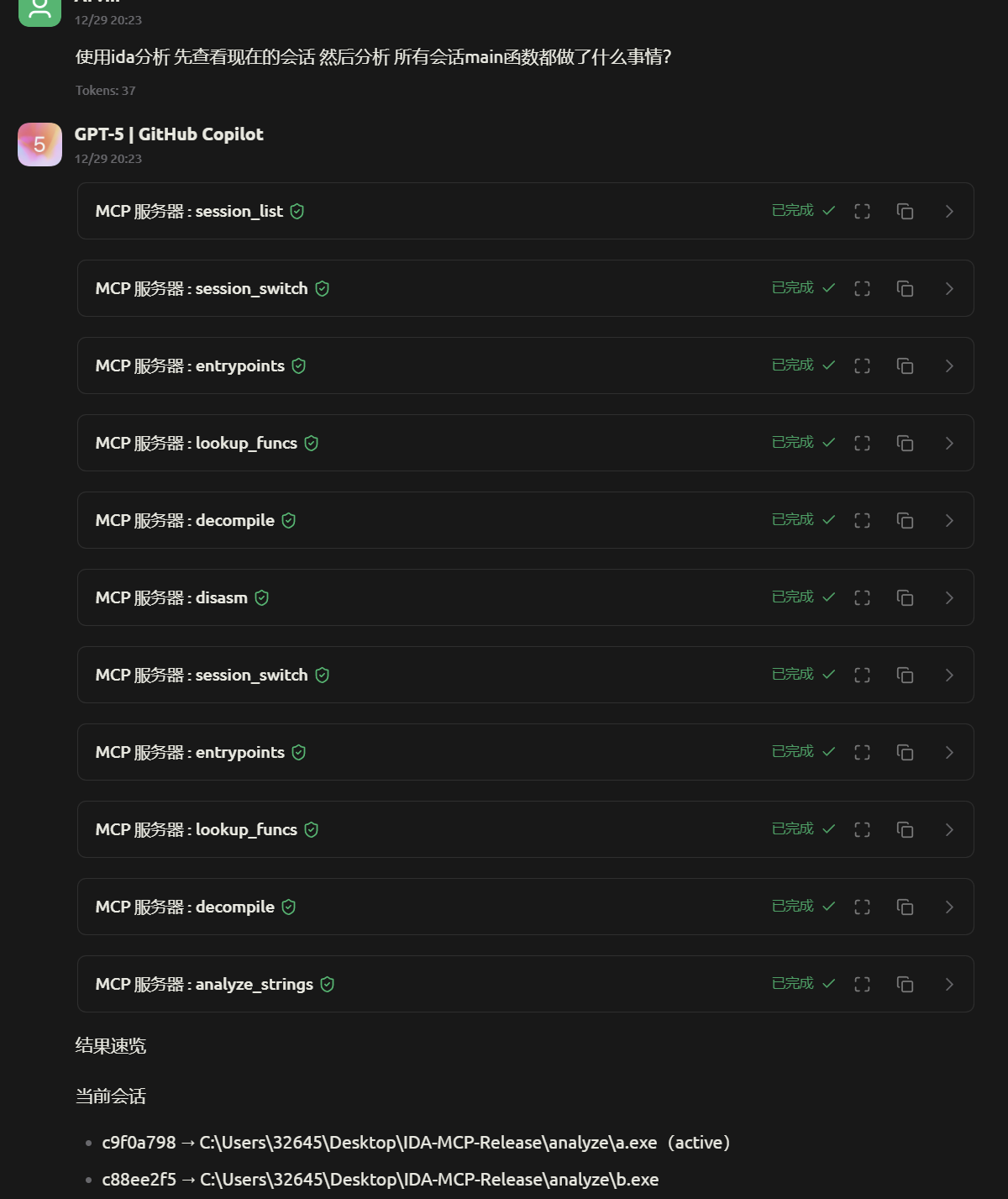
1. session_list - View all sessions
2. session_switch - Switch to the target session
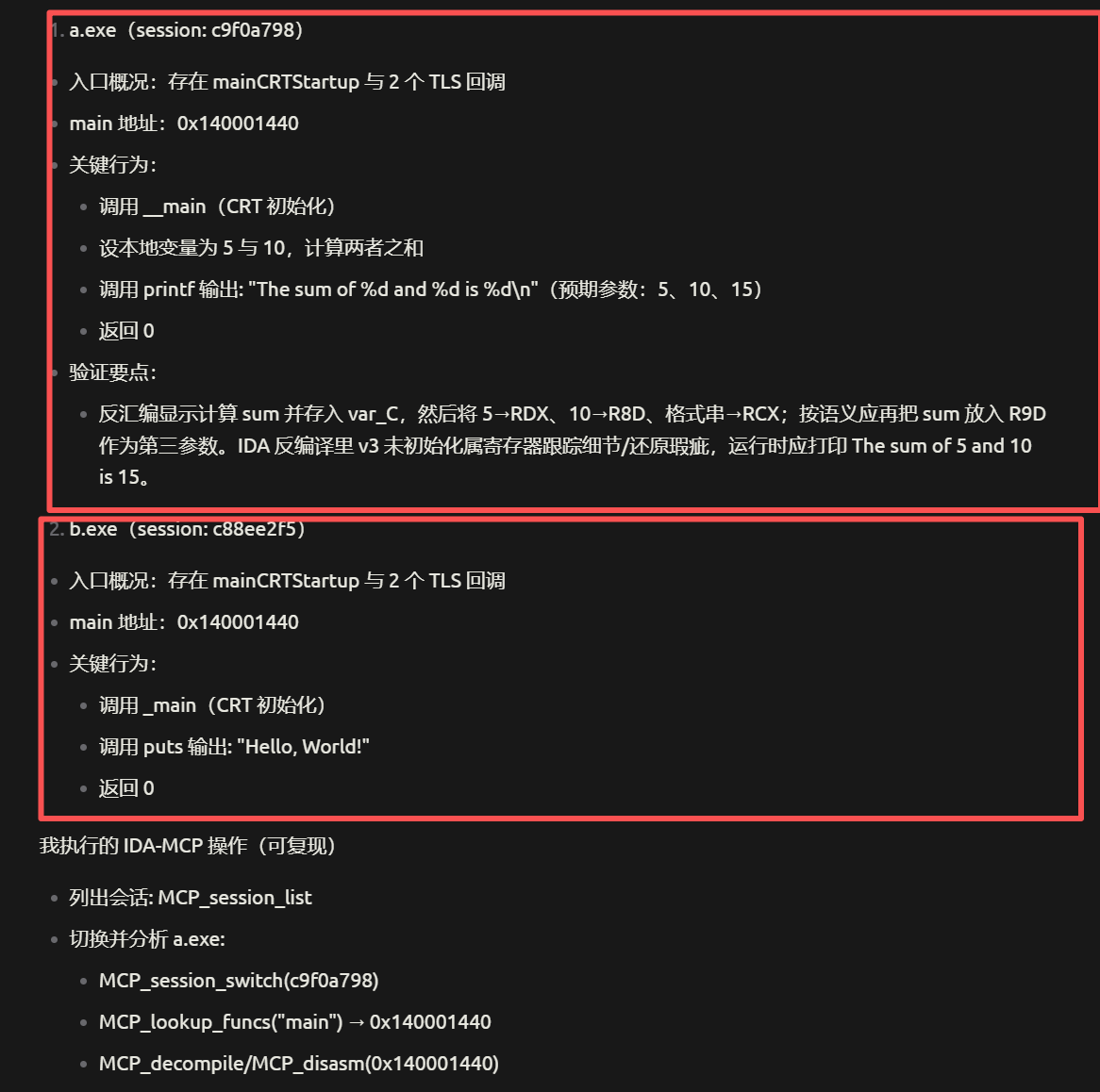
3. lookup_funcs - Find the main function
4. decompile - Decompile the main function
Parameter Examples
{"name": "lookup_funcs", "arguments": {"queries": "main"}}
{"name": "decompile", "arguments": {"addrs": ["0x140001440"]}}
{"name": "list_funcs", "arguments": {"queries": {"count": 10, "offset": 0}}}
🔧 Troubleshooting
Port Occupied
Windows
netstat -ano | findstr ":8746"
taskkill /F /PID <Process ID>
macOS / Linux
lsof -i :8746
kill -9 <PID>
lsof -ti :8746 | xargs kill -9
IDB File Locked
Delete files such as .id0, .id1, .id2, .i64 in the analyze/ folder and re - analyze.
Session Creation Failed
- Check if the IDA path is correct.
- Confirm that the IDA version >= 9.2.
- Check the server log output.
- Confirm that the Python version >= 3.11.
macOS Specific Issues
chmod +x start.py
export PATH="$HOME/.cargo/bin:$PATH"
~/Downloads/ida-pro-mcp/idb/python.exe -m uv sync
Linux Specific Issues
sudo apt install python3-dev build-essential
which python3
python3 --version
Directory Structure
IDA-MCP-Release/
├── analyze/               # Place binary files to be analyzed
│   ├── *.exe             # Windows PE files
│   ├── *.elf / *_elf     # Linux ELF files
│   └── *.bin / *_macho   # macOS MachO files
├── ida-pro-mcp/          # Core of the MCP server
│   ├── .venv/           # Virtual environment
│   └── src/
├── start.py              # Cross - platform one - click startup script
├── config.toml           # Configuration file
├── AVAILABLE_TOOLS.md    # Complete tool list
└── claude_desktop_config.json
Technical Details
| Configuration Item |
Value |
| Main Server Port |
8746 |
| Session Port Range |
10000+ |
| Protocol |
MCP over HTTP (JSON - RPC 2.0) |
| Maximum Concurrent Sessions |
5 |
| Session Timeout |
3600 seconds |
| Supported File Formats |
PE (exe/dll), ELF, MachO |
Update Log
v2.0.0 (2025-12-30)
- ✅ Fixed the tool loading issue (now correctly shows 77 tools).
- ✅ Fixed the session process lifecycle (using blocking mode).
- ✅ All 71 analysis tools passed the test.
- ✅ Added cross - platform support (Windows/macOS/Linux).
- ✅ Improved error handling and log output.
📄 License
This project is open - sourced under the MIT license.
%20--%3e%3cdefs%3e%3cstyle%3e%20.st0%20{%20fill:%20%23061b40;%20}%20.st1%20{%20fill:%20%23306af1;%20}%20.st2%20{%20fill:%20%235ce5cf;%20}%20%3c/style%3e%3c/defs%3e%3cg%3e%3cpath%20class='st0'%20d='M55,10.5h9v3h-9v9h12V7.5h-12v3ZM64,19.5h-6v-3h6v3Z'/%3e%3cpolygon%20class='st0'%20points='69%2016.5%2078%2016.5%2078%2019.5%2069%2019.5%2069%2022.5%2081%2022.5%2081%2013.5%2072%2013.5%2072%2010.5%2081%2010.5%2081%207.5%2069%207.5%2069%2016.5'/%3e%3cpolygon%20class='st0'%20points='95%2010.5%2095%207.5%2083%207.5%2083%2022.5%2095%2022.5%2095%2019.5%2086%2019.5%2086%2016.5%2095%2016.5%2095%2013.5%2086%2013.5%2086%2010.5%2095%2010.5'/%3e%3cpath%20class='st0'%20d='M40,1.5v21h11.6l1.4-1.4v-7.6h0c0,0-1.4-1.5-1.4-1.5l1.4-1.4V2.9l-1.4-1.4h-11.6ZM50,19.5h-7v-6h7v6ZM50,10.5h-7v-6h7v6Z'/%3e%3c/g%3e%3cpath%20class='st1'%20d='M23.1,24L14.7,4.8l-4.9,11.2h3.8l-1.8,4H3.3L12.1,0H2C.9,0,0,.9,0,2v20c0,1.1.9,2,2,2h21.1Z'/%3e%3cpath%20class='st2'%20d='M34,0h-16.8l10.6,24h6.2c1.1,0,2-.9,2-2V2C36,.9,35.1,0,34,0ZM32.5,20h-4V4h4v16Z'/%3e%3c/svg%3e)
 Join Now


